

01
Open RoadNotes in CarPlay
One tap and it's listening. No menus.
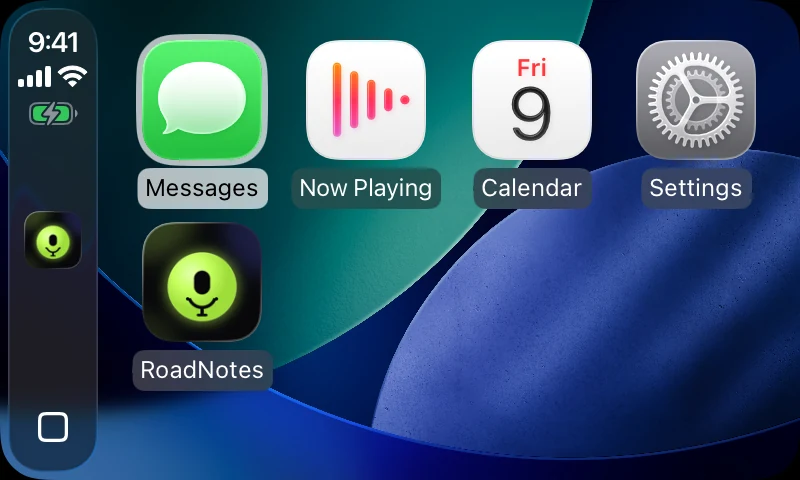
Say it on the road. Read it when you park.
Open RoadNotes in CarPlay and talk. Every voice note becomes text, a short summary and a to-do list on your iPhone.
Then $9.99 once. No subscription, no account.
About
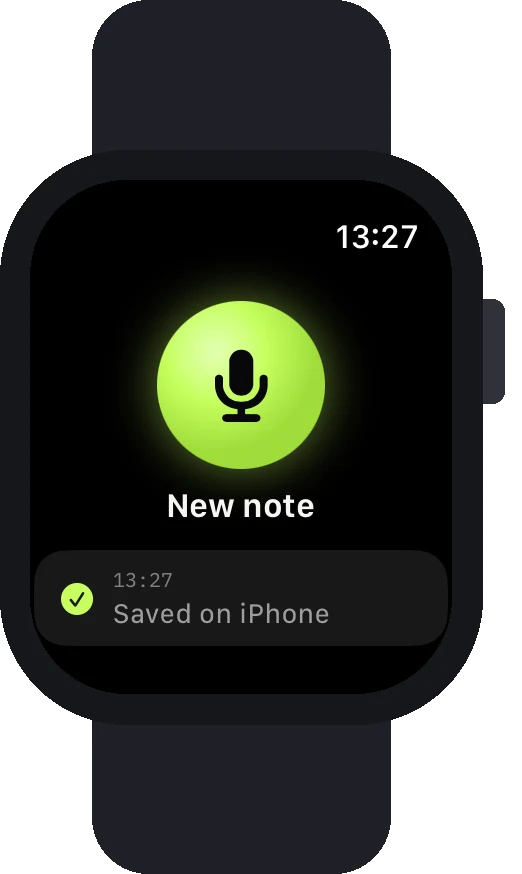
RoadNotes is an iPhone app for hands-free voice notes while driving. Open it in Apple CarPlay and just talk: it's already listening. You can also tap New note on an Apple Watch or ask Siri. RoadNotes transcribes each note on your iPhone in nearly 100 languages, uses Apple Intelligence to write a short summary and pull out the to-dos, and has it ready when you park. Audio never leaves the device and there's no account. It's free for 10 days, then a one-time $9.99. RoadNotes (say “Road Notes” to Siri) is made by Amit Nadir.
What you say → what you get
Okay, remind me to call Dana about the Friday delivery tomorrow at nine. Oh, and I have to pick up the trailer permit before noon. And the client liked the blue option, so let's go with that.
Summary
Call Dana about Friday’s delivery, get the trailer permit, and go with the blue option for the client.
To-dos
Sent to Apple Reminders
How it works
To take notes while driving, use an app you can run by voice alone: it should start listening without menus, stop by itself when you go quiet, and confirm out loud that the note was saved, so your eyes stay on the road. RoadNotes does all three in CarPlay. Read the full guide to taking notes while driving.
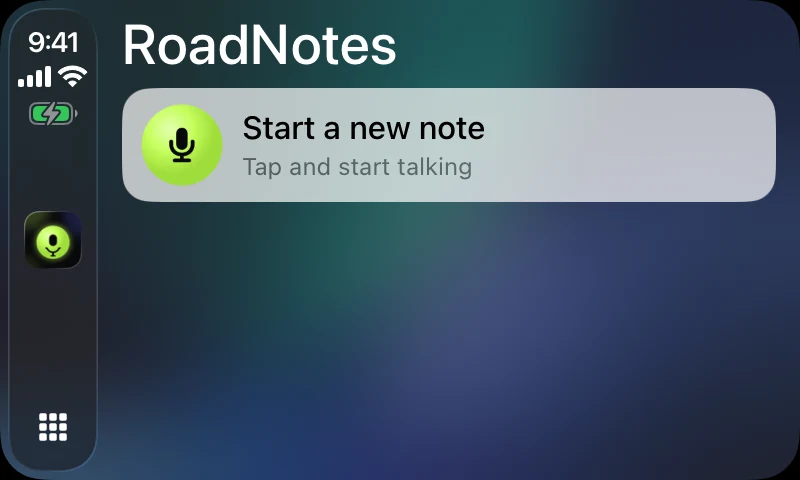
One tap and it's listening. No menus.
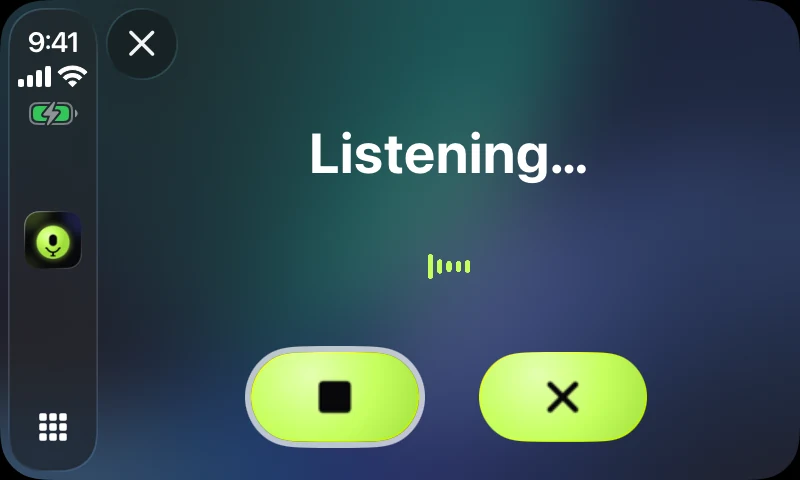
Tap Stop, or stay quiet and the note saves itself.
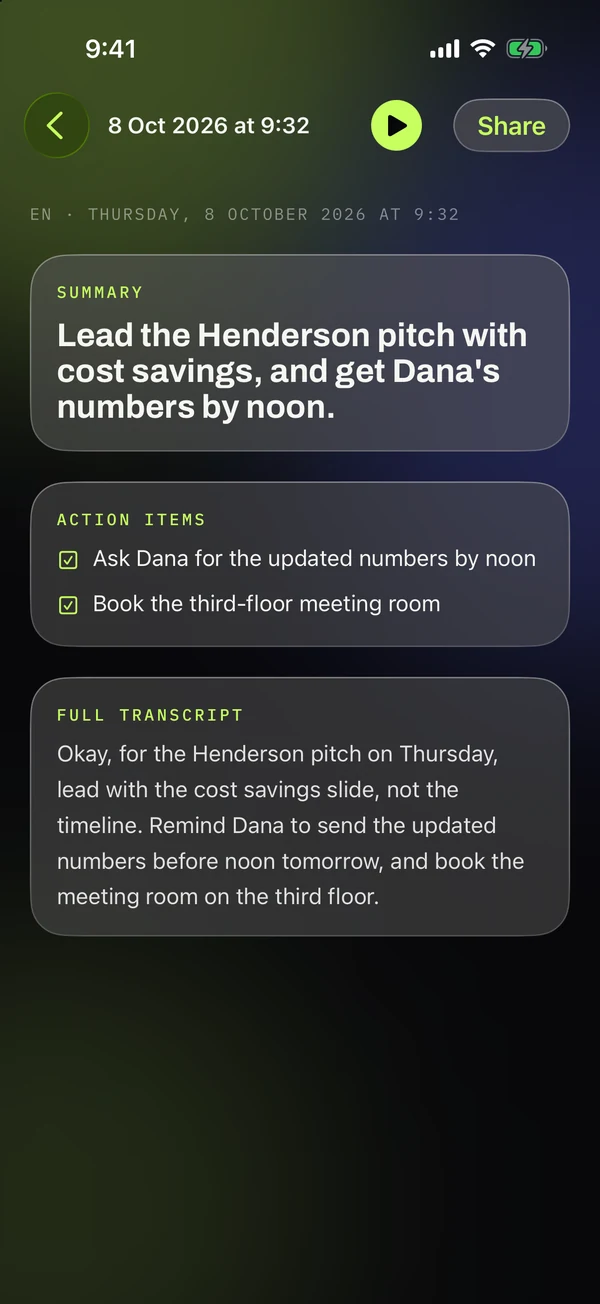
Summary, to-dos and full transcript, ready to share.
Eyes on the road
One big button, already listening. RoadNotes says out loud when your note is saved, so your eyes stay on the road.
Apple Watch
Tap New note and talk. Your iPhone turns it into text, and your wrist taps when it's saved.
Features
Voice recorder, speech to text and AI notes in one hands-free app.
Apple Intelligence writes a summary and a to-do list. To-dos go straight to Apple Reminders.
Transcribed on your iPhone. The recording is deleted right after.
“Hey Siri, open Road Notes”, then just talk. Works with your iPhone locked, with a Live Activity on the Lock Screen.
Auto-stop saves the note after 5 to 60 seconds of silence.
Notes sync through your private iCloud. No account, and we can’t read your notes.
Filter, archive, share, or play any note back.
Speech to text in nearly 100 languages, detected automatically.
Compare
| Feature | RoadNotes | Apple Voice Memos | Other recorder apps |
|---|---|---|---|
| Built for CarPlay | ✓ | ✕ | Rarely |
| Hands-free from start to saved | ✓ | ✕ | Rarely |
| Summary and to-do list | ✓ | Summary by tap (Apple Intelligence), no to-dos | Often, in the cloud |
| To-dos in Apple Reminders | ✓ automatic | ✓ via Siri | Some |
| Transcript languages | ~100 | 10 | Varies |
| Audio never leaves your iPhone | ✓ | ✓ | Often uploaded |
| No subscription | $9.99 once | Free | Usually monthly |
Guides
Free ways and paid ones, compared honestly, with sources.
Pricing
$9.99 once, for life
No subscription. Shown in your local currency in the App Store.
After the trial, your notes stay readable. Recording needs the one-time unlock.
RoadNotes is built for recording notes while driving: it opens in CarPlay already listening, saves the note when you go quiet and says so out loud, then turns your voice into text, a summary and a to-do list on your iPhone.
Yes. RoadNotes transcribes every voice memo to text on your iPhone, in nearly 100 languages, and adds a short summary and to-do list with Apple Intelligence.
Open RoadNotes on the CarPlay screen and start talking: it's already listening. Tap Stop, or go quiet for a few seconds, and RoadNotes saves the note and confirms out loud.
In RoadNotes you can say “Hey Siri, open Road Notes”, “Start a new note in RoadNotes”, “Stop recording in RoadNotes” and “Delete the last note in RoadNotes”. Siri can start a note even with your iPhone locked.
Yes. Turn on Reminders in RoadNotes Settings and each to-do from a note goes to Apple Reminders, in a RoadNotes list, at the time you mentioned.
Yes. On Apple Watch, tap New note in RoadNotes and talk. The recording goes to your iPhone, which transcribes and summarizes it, and your wrist taps when the note is saved.
No. RoadNotes is made for CarPlay but also works on iPhone, on Apple Watch and through Siri, so you can record a voice note anywhere.
No. RoadNotes turns speech into text on your iPhone and deletes the recording right after, so your audio never leaves the device. See the privacy policy.
Only for summaries and to-dos. On an iPhone without Apple Intelligence, RoadNotes still saves every voice note as a full transcript.
RoadNotes runs on any iPhone with iOS 26.4 or later. The Apple Watch app needs watchOS 26 or later.
RoadNotes is free for 10 days with every feature, then a one-time $9.99 unlocks it for life. There's no subscription, nothing is charged automatically, and your notes stay readable either way.
RoadNotes is designed to be used by voice: it opens listening, saves when you go quiet and reads confirmations aloud, so you don't need to look at the screen. Only touch your iPhone when it's safe and legal.
Your next idea is one sentence away.
Try RoadNotes free